

 Smart AI World
A detailed guide on creating hyper-realistic marketing images to boost your product ROI.

Before AI tools became popular, marketers and business owners relied on traditional methods like photoshoots to create promotional materials for their products or services.
All these usually took days to complete and weren’t cheap to begin with. Today, the process of creating high-quality marketing assets has become faster and more affordable with AI. Tools like Recraft allow you to generate product ads and campaign posters in just a few minutes.
In this guide, I will show you a detailed process of creating marketing assets that boost your product ROI.
Let’s get started.
TL;DR
This is my hands-on review of Recraft, an AI-powered platform that combines image generation, editing, and vector creation in one seamless workspace — so you don’t have to switch between different tools.
Here’s what stood out while testing (you’ll see examples below):
- All-in-one creative workflow — generate, edit, and refine visuals directly in Recraft without jumping across apps
- Consistent brand styles — apply built-in or custom visual styles to keep every asset perfectly on-brand
- Precise vector and color control — convert images to editable SVGs, recolor elements with exact hex codes, and maintain brand palettes
- Realistic image generation — create photorealistic visuals for campaigns, ads, or social posts that look natural, not “AI-made”
- Powerful post-editing tools — outpaint, inpaint, remove backgrounds, resize, and refine visuals right on the canvas
What is Recraft?
Recraft AI is an AI-powered platform that allows you to generate and refine images, vector art, and icons. You can generate images from text prompts, edit existing images with AI, and apply brand styles to maintain consistency.
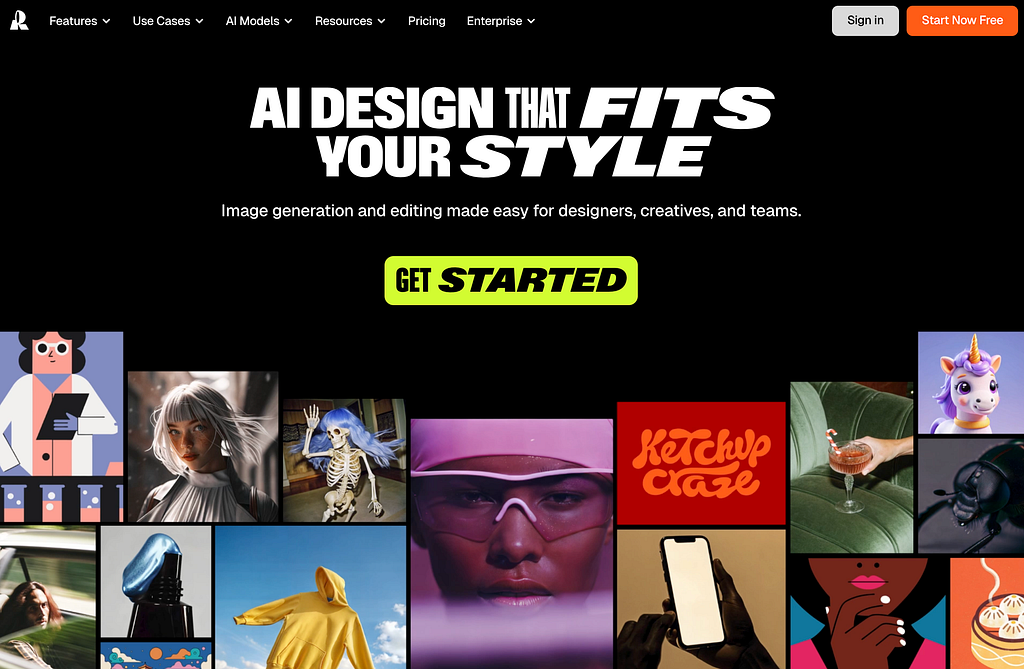
Key features and capabilities:
- Image and generation: Create various graphics, including photorealistic images and illustrations from text prompts.
- Editing and refinement: Recraft offers a comprehensive set of post-generation editing tools, including object removal, background replacement, and fine-grained detail adjustments. It is powered by some of the most popular and powerful image models like Nano Banana and Flux.
- Brand consistency: Allows users to upload a brand style to generate on-brand results, helping to maintain consistency across different projects.
- Vectorization: Includes a feature to convert existing PNG or JPG images into high-quality SVG vector files, which can be scaled without quality loss.
Now let’s get into some examples.
Generating Product Ad Images
Let’s walk through the process of generating realistic product images in Recraft. Head over to Recraft and create an account for free. Start by creating a new image project.
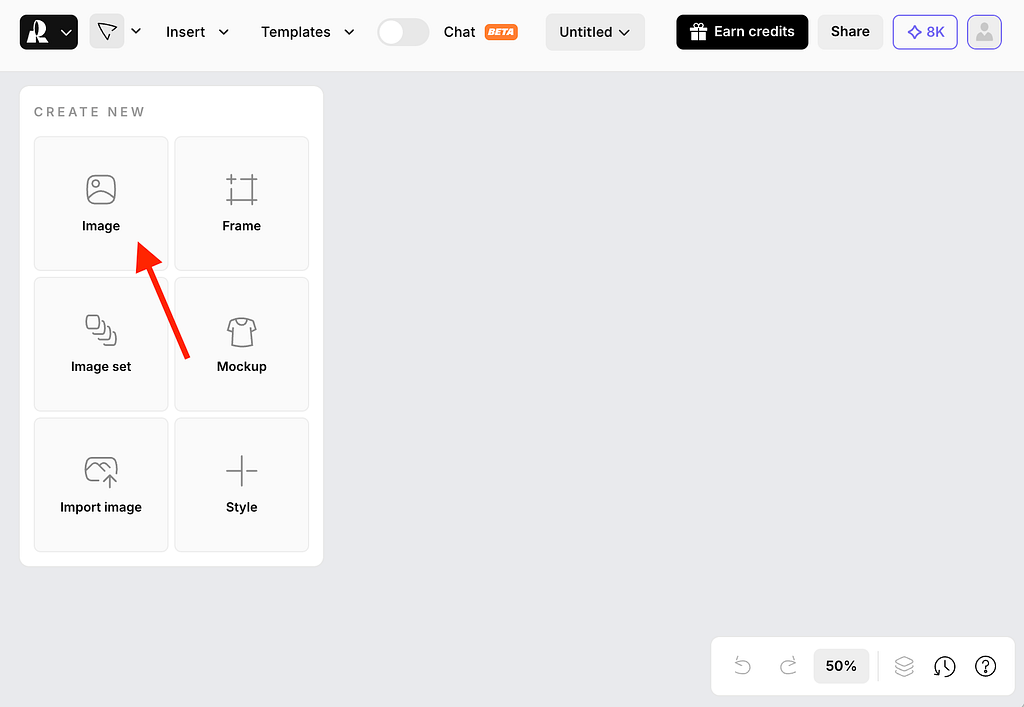
For this example, I created a marketing visual for a tumbler using Recraft’s image generator. Within the generator settings, you can select from Recraft’s own image models, built for consistent, design-ready outputs, or choose from a range of supported external models. Recraft integrates leading image models such as Nano Banana, Imagen 4, the Flux series, Ideogram, and others, allowing you to select the best model for each creative task while staying within a single professional design workflow.
Upload the reference image of your product and set the prompt or description of how you want the final image to look. You can also adjust some parameters like aspect ratio, border radius, and the number of output images.
Here’s the prompt I used for the example below:
Prompt: A commercial photo of a male athlete holding a tumbler product for a sports brand campaign. The tumbler is clearly visible. High-resolution DSLR-style shot, cinematic composition, photorealistic lighting, realistic skin texture, and professional advertising tone.
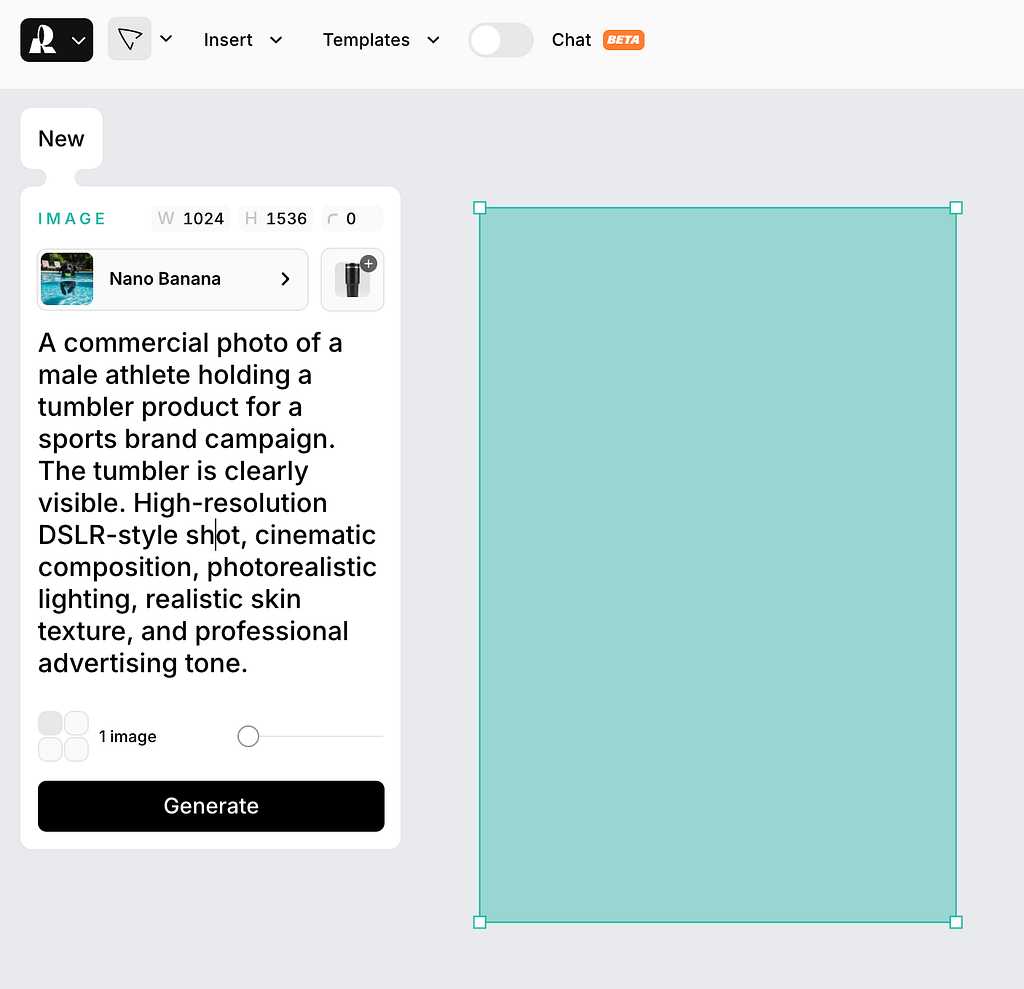
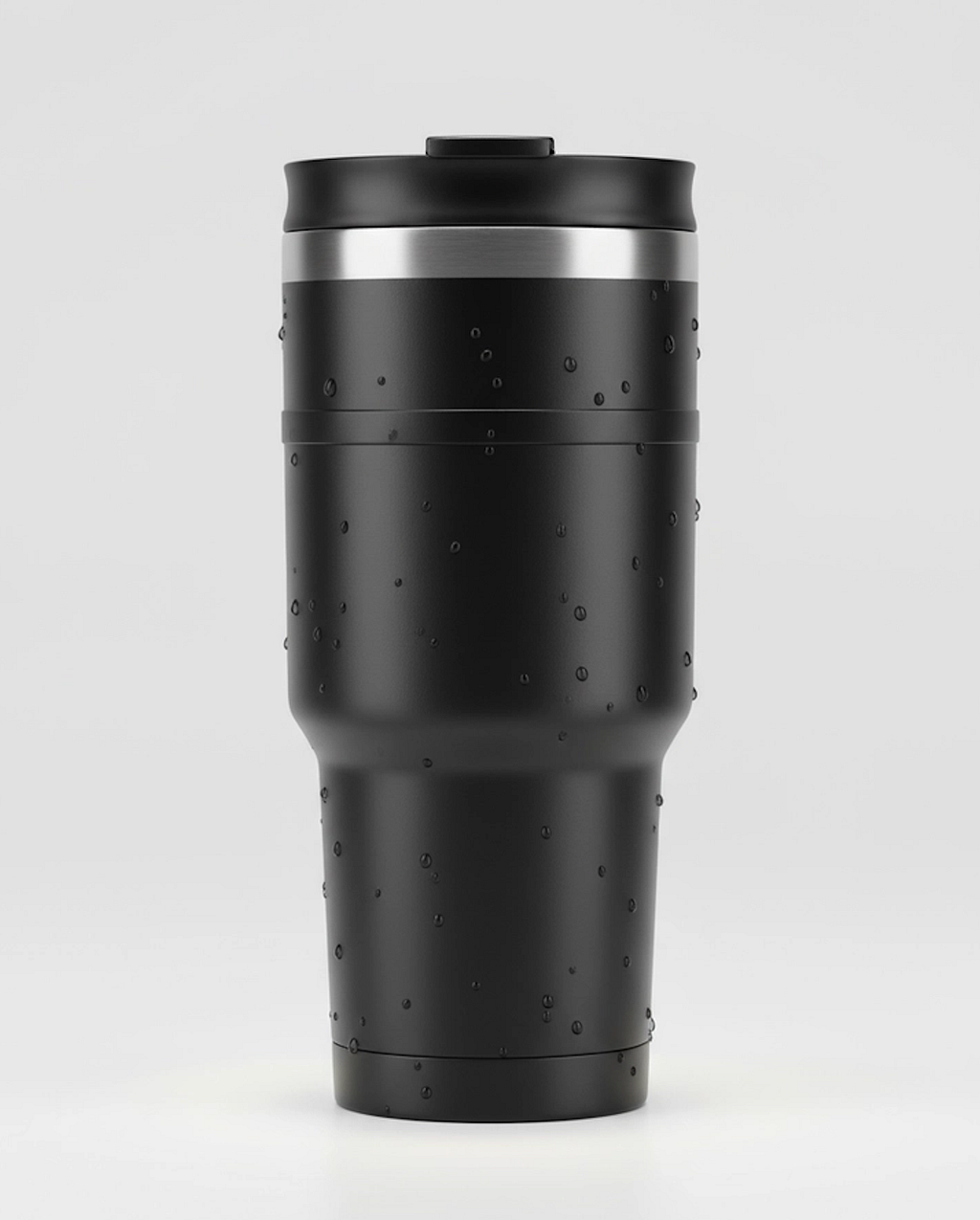
Once all parameters are set, click the Generate button and wait for the final image to appear in the placeholder. Check out some of the examples I created.
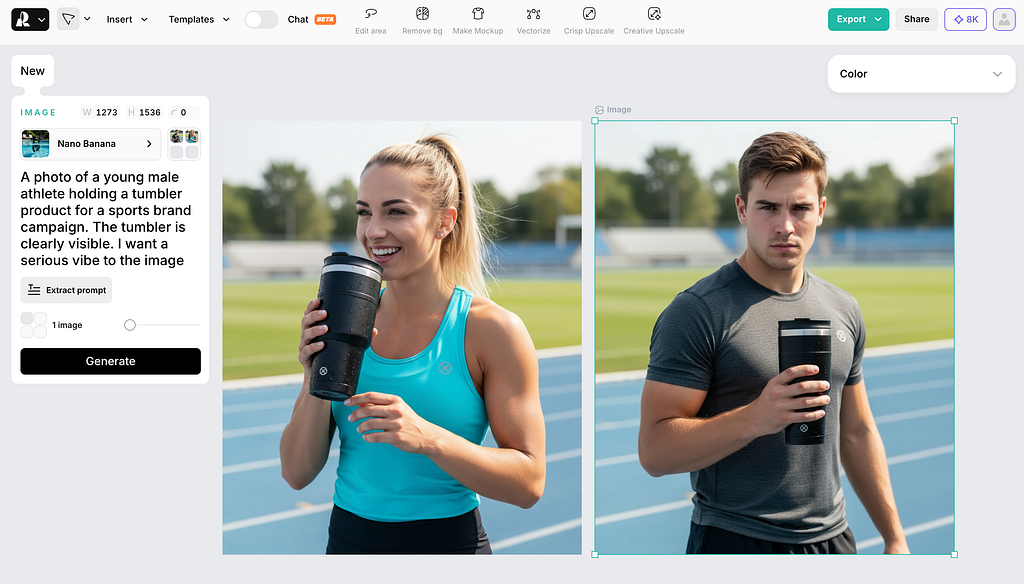
You can continue tweaking the prompt — change the subject, adjust the vibe, or modify the angle. You have full control over how the output turns out.
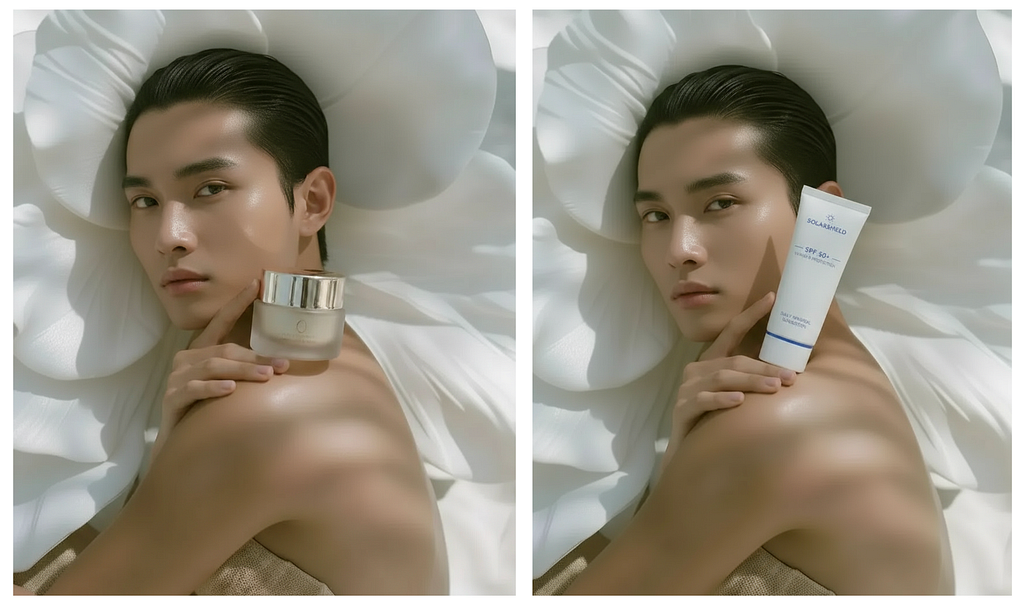
If you already have an existing photo of a human model that you want to repurpose for your product marketing, you can do that as well. Take the example below, where I wanted to replace the product in the original image with a sunscreen.
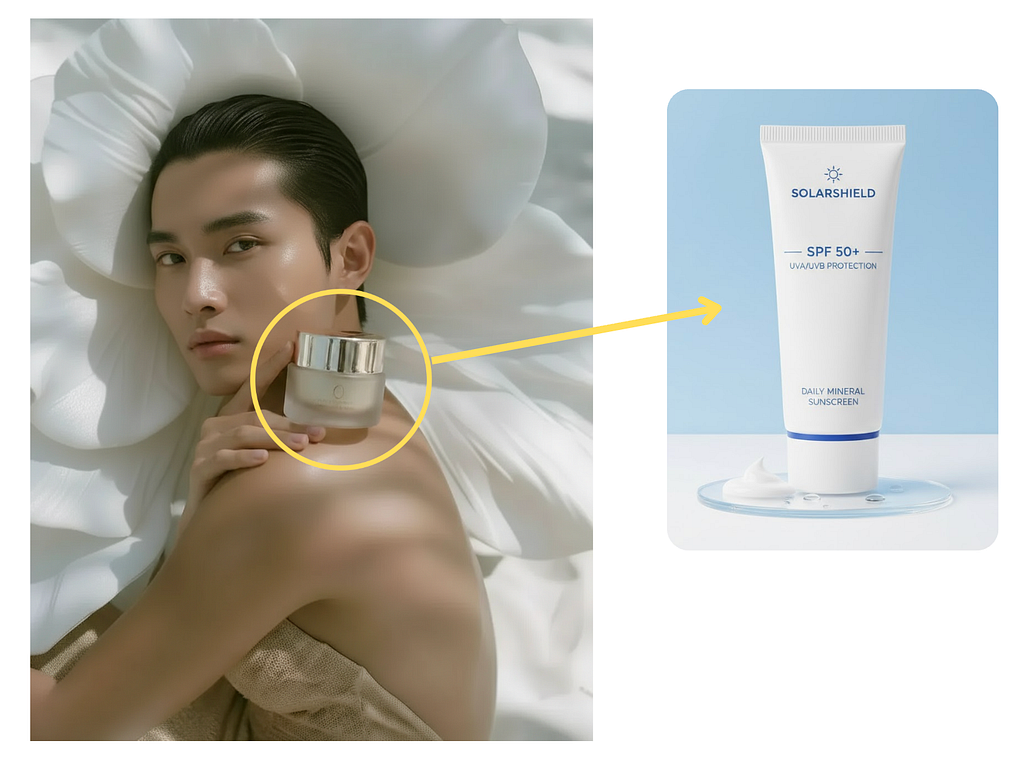
Go back to Recraft and create a new project, upload the original image, and open the edit panel. Set the image model, add the sunscreen product, and describe the change you want.
Prompt: Replace the original product with the sunscreen product.
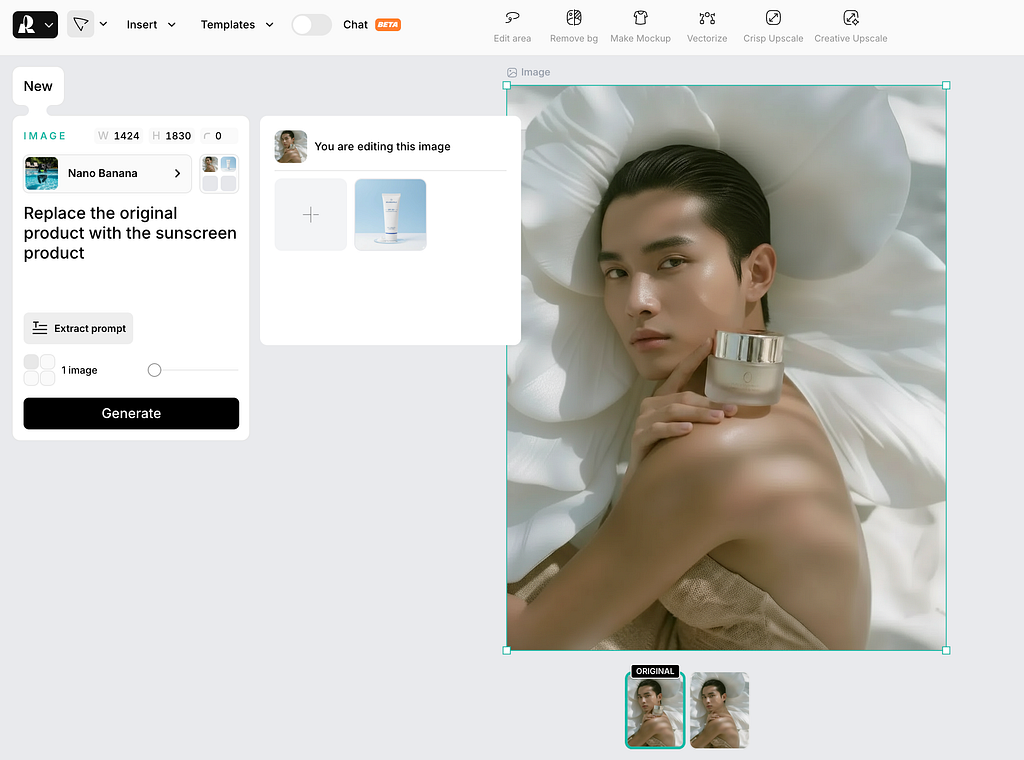
Click the Generate button and wait for the final image to render. Here’s the side-by-side comparison of the before and after. Here’s the side-by-side comparison of the before and after image edit.
Creating a Marketing Poster
One last example I want to highlight is creating a product marketing poster using Recraft. Upload your product image and describe how you want the poster to look in the prompt field.
Here’s the exact prompt I used:
Prompt: Transform this product image into a lifestyle beauty shot. A pair of elegant female hands are gently holding the open cream jar. One hand supports the base, while the other delicately reaches for the cream. Keep the lighting soft and natural with a warm beige background.
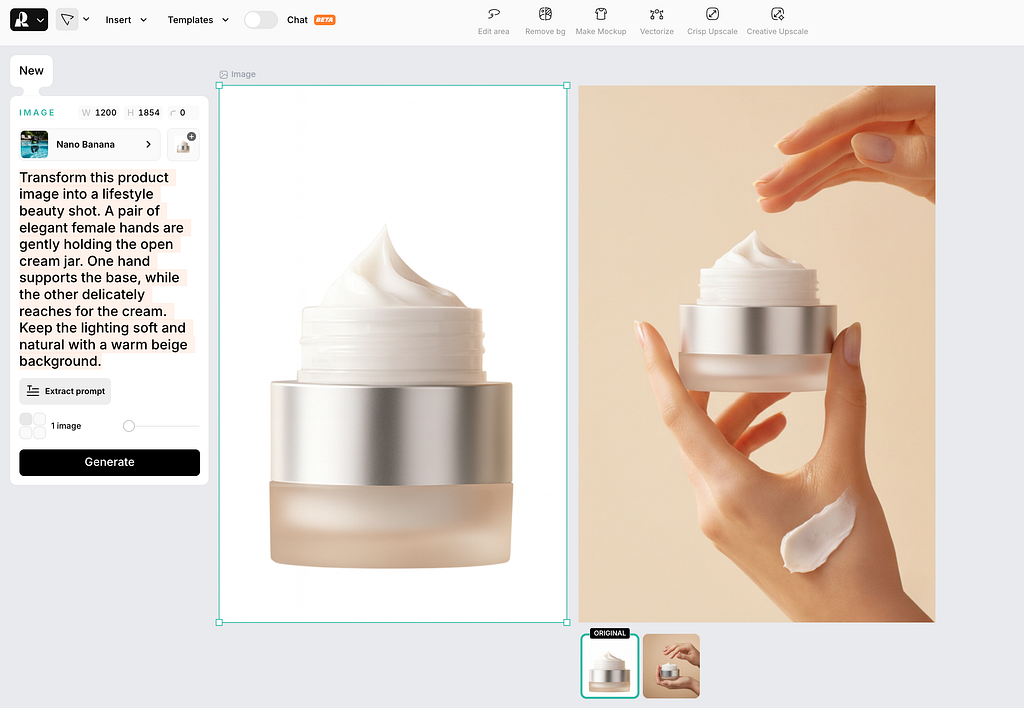
You can see how the product’s original shape, texture, and colors were perfectly preserved in the custom poster. The hands make the image feel more natural and premium, as if it’s taken straight from a professional skincare campaign.
You can’t deny how much more personality and emotion the final image brings. You can download the poster and post it on your social media account or online store to attract more potential customers.
Recraft Pricing
Recraft offers three pricing tiers designed for different types of users.
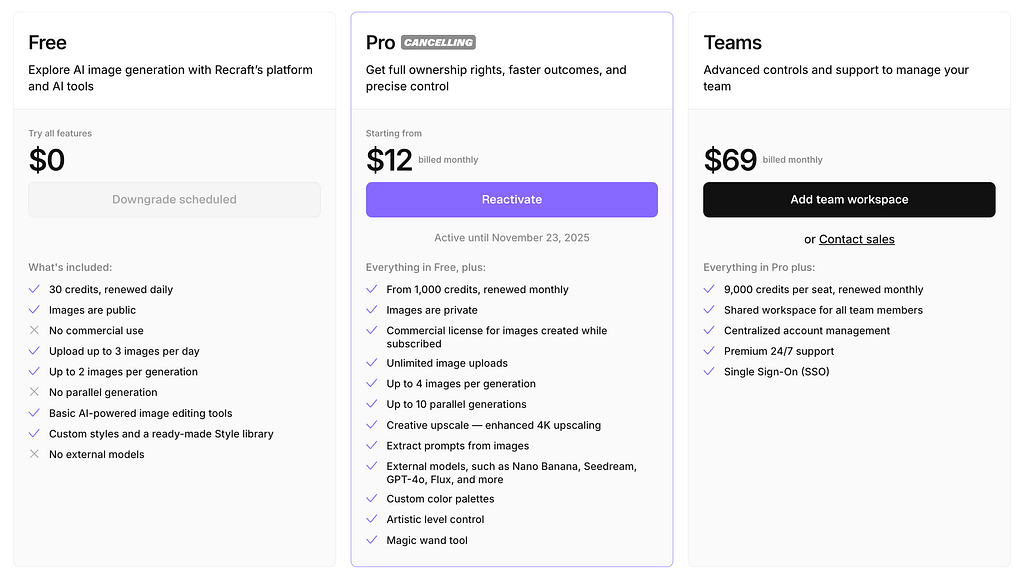
- The Free plan gives you 30 credits each day and access to Recraft’s basic image generation tools. However, the images you create are public, and you can’t use them commercially.
- The Pro plan, starting at $12 per month, gives you 1,000 monthly credits, full ownership rights, and the ability to upload unlimited images. You can also use external models such as Nano Banana, Seedream, GPT-4o, and Flux, which expand your creative possibilities.
- The Teams plan costs $69 per month and includes 9,000 credits per seat. It adds shared workspaces, centralized account management, premium support, and Single Sign-On (SSO).
Recraft’s pricing is flexible enough for both individual creators and professional teams. The free tier lets anyone explore AI-powered image generation, while the Pro and Teams plans provide the control and commercial rights needed for business use.
Final Thoughts
The endless canvas interface is intuitive and easy to use, so even first-time users can create high-quality marketing assets in minutes.
What makes this especially powerful is the range of image models available within Recraft. The platform includes Recraft’s own proprietary models, designed for consistent results, alongside the ability to switch seamlessly between leading models such as Nano Banana, Gemini, Flux, and others. Having all of these options in one workspace gives you the flexibility to experiment, compare outputs, and choose the model that best aligns with your brand’s visual identity.
In terms of quality of the results, they’re great for social media and paid campaigns.
Of course, keep in mind that these kinds of tools are only as good as the one using them. If you make ten or twenty social media posts per day with no clear strategy, your account might come off as spammy. Worse, you could burn your audience’s trust.
Anyway, if you’re a content creator or a marketing expert, I recommend checking out Recraft and let me know what you think.

This story is published on Generative AI. Connect with us on LinkedIn and follow Zeniteq to stay in the loop with the latest AI stories.
Subscribe to our newsletter and YouTube channel to stay updated with the latest news and updates on generative AI. Let’s shape the future of AI together!

Creating Photorealistic Marketing Images with Recraft was originally published in Generative AI on Medium, where people are continuing the conversation by highlighting and responding to this story.
Source link





Add comment